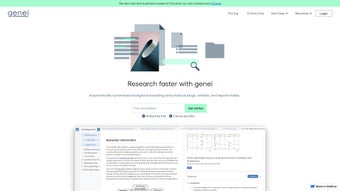

Download Genei – AI Research Summarization Tool, Fast Summaries, Secure Storage
Overview – Why Genei Matters for Modern Researchers
In today’s information‑driven world, scholars, analysts, and content creators are confronted with an ever‑growing volume of PDFs, journal articles, white papers, and web‑based reports. Sifting through each document line‑by‑line can consume countless hours, slowing down project timelines and increasing the risk of missing critical insights. Genei addresses this pain point by offering an AI‑powered summarization engine that transforms dense, multi‑page texts into concise, readable abstracts within seconds.
The platform blends a proprietary fine‑tuned language model with OpenAI’s GPT‑3, enabling it to capture the core argument, methodology, results, and conclusions of any source while preserving the original context. Whether you are drafting a literature review for a Ph.D. dissertation, preparing a market brief for senior leadership, or curating reference material for a blog post, Genei’s one‑click summarization can cut the manual reading workload by up to 70 %. Beyond summarization, Genei provides automatic keyword extraction, a secure cloud‑based vault for document storage, inline annotation tools, and a robust citation generator that supports APA, MLA, Chicago, Harvard, and custom styles.
The service also offers a Chrome extension for instant webpage summarization, a cross‑platform desktop wrapper built with Electron, and mobile apps for iOS and Android that keep your research synced across devices. By prioritizing privacy through end‑to‑end encryption and GDPR‑compliant servers, Genei ensures that confidential research remains protected while still delivering the speed and accuracy modern professionals demand. The combination of speed, security, and scholarly features makes Genei a compelling addition to any productivity toolkit.
Key Features – What Sets Genei Apart
Genei’s feature set is designed to streamline every stage of the research workflow, from ingestion to export. The AI engine automatically identifies the most relevant passages, extracts actionable keywords, and generates a structured summary that can be edited, highlighted, or expanded with additional notes. The platform’s cloud vault offers encrypted storage, while its built‑in citation manager removes the tedious task of formatting references manually.
For power users, the multi‑document summarization capability aggregates up to ten related papers into a single cohesive overview, which is especially useful for systematic reviews or competitive analyses. Advanced search lets you query your library using natural language, and the question‑answering module draws precise answers directly from the source material. All these tools are accessible through an intuitive web interface, a lightweight desktop app, and mobile companions, ensuring you can work wherever you are.
Below is a detailed list of the most impactful features Genei delivers to its users.
- AI‑Generated Summaries: One‑click abstracts that capture the core argument, methodology, and findings of any PDF, Word document, or web article.
- Keyword Extraction & Tagging: Automatic identification of the most important terms, allowing instant topic clustering and easy retrieval.
- Secure Cloud Vault (5 GB free): Encrypted storage with folder organization, custom metadata, and version history.
- Inline Annotation & Highlighting: Real‑time notes, highlights, and comments that sync across web, desktop, and mobile.
- Citation & Reference Generator: One‑click formatting for APA, MLA, Chicago, Harvard, and custom citation styles.
- Chrome Extension: Summarize any webpage on the fly; the extension also extracts key quotes and statistics.
- Pro‑Level AI Quality (70 % higher accuracy): Access to a fine‑tuned GPT‑3 model that handles technical jargon and multi‑document contexts.
- Multi‑Document Summarization: Combine up to 10 related papers into a single, coherent summary for literature reviews.
- Advanced Search & Question Answering: Natural‑language queries return precise answers drawn from your stored documents.
- Rephrasing & Paraphrasing Tools: Generate alternative phrasings to avoid plagiarism and improve readability.
Installation, Usage & Compatibility – Getting Started Quickly
Web Access and Desktop Wrapper
Genei is fundamentally a cloud‑based service, which means you can begin summarizing documents immediately from any modern browser—Chrome, Edge, Firefox, or Safari—without installing any software. For users who prefer a native feel, Genei offers a lightweight Electron‑based desktop wrapper for Windows, macOS, and popular Linux distributions. The download page provides platform‑specific installers that automatically verify system integrity, install bundled dependencies (such as the Node.js runtime), and create desktop shortcuts. The installer also checks for minimum system requirements (2 GB RAM, 500 MB free disk space) and prompts you to create or link an existing Genei account.
Step‑by‑Step Workflow
- Create an Account: Register with an email address or use Google/Apple single sign‑on. A verification link confirms your identity and activates the free tier.
- Upload or Link a Document: Drag‑and‑drop PDFs, Word files, or paste a URL into the “Add New Document” field. The platform also supports bulk uploads via ZIP archives.
- Select a Summarization Mode: Choose “Quick Summary” for a brief abstract or “Deep Dive” for a detailed, section‑by‑section analysis (Pro only).
- Review & Edit: The AI‑generated text appears in an editable pane where you can add annotations, highlights, or custom tags.
- Export or Cite: Download the summary as plain text, PDF, or Markdown, and generate a citation list in your preferred style.
- Search & Query: Use the global search bar to locate documents by keyword, or ask natural‑language questions like “What are the main conclusions of the 2023 climate report?”
Operating System Support
Genei is compatible with the following environments:
- Windows 10, 11 (64‑bit)
- macOS 10.14 Mojave and later (including Apple Silicon)
- Ubuntu 20.04 LTS, Fedora 34, and other major Linux distributions (via web portal or Electron app)
- iOS 13+ and Android 9+ (dedicated mobile apps)
Pros, Cons and Frequently Asked Questions
Pros
- Lightning‑fast AI summaries that save hours of manual reading.
- Robust citation generator compatible with major academic styles.
- End‑to‑end encrypted cloud storage for confidential documents.
- Chrome extension for instant webpage summarization.
- Multi‑document summarization ideal for systematic literature reviews.
- Cross‑platform availability (Web, Desktop, Mobile).
- Pro tier leverages a fine‑tuned GPT‑3 model for higher accuracy.
- Intuitive drag‑and‑drop workflow and clean UI.
- Active community forums and responsive support team.
- Free tier provides a useful taste before committing to a subscription.
Cons
- Full feature set requires a paid Pro subscription.
- Summarization speed may slow on extremely large PDFs (>200 pages) in the free tier.
- Most advanced functions depend on an internet connection; offline use is limited.
- Advanced search and QA are currently English‑only.
- Custom citation styles require manual editing; only predefined formats are auto‑generated.
Frequently Asked Questions (FAQ)
Is Genei safe for confidential research documents?
Yes. Genei encrypts data at rest with AES‑256 and uses TLS 1.3 for data in transit. All servers comply with GDPR, and files are permanently deleted when you remove them from your vault.
Can I use Genei offline?
The core summarization engine runs in the cloud, so an internet connection is required to generate new summaries. However, you can view, annotate, and export previously downloaded documents while offline.
What file formats does Genei accept?
Supported formats include PDF, Microsoft Word (.docx), plain text (.txt), and direct web URLs via the Chrome extension or the “Add Link” feature.
How does the Pro tier improve summary quality?
Pro users access a fine‑tuned GPT‑3 model that delivers roughly 70 % higher contextual accuracy, better handling of technical terminology, and the ability to summarize multiple documents in a single request.
Is there a free trial for the Pro features?
Yes. Genei offers a 14‑day free trial of the Pro plan with full access to all premium tools. No credit card is required, and you can cancel anytime before the trial ends.
Review Summary: Genei delivers a powerful AI summarization experience that dramatically accelerates research workflows. The Pro tier’s GPT‑3 integration and multi‑document capabilities set it apart from generic summarizers, though the reliance on a constant internet connection and the cost barrier for full features may deter budget‑conscious users. Overall, the platform’s security, cross‑device sync, and citation tools make it a top‑tier choice for scholars and professionals alike.
Conclusion & Call to Action
In an era where the sheer volume of information can overwhelm even the most disciplined researcher, Genei emerges as a practical, AI‑driven ally that turns chaos into clarity. By combining rapid, high‑quality summarization with secure cloud storage, automatic citation generation, and seamless cross‑platform access, Genei tackles the most time‑consuming stages of the research pipeline. The free tier offers a generous taste of the core functionality, while the Pro subscription unlocks deeper analytical tools such as multi‑document summarization, advanced search, and a fine‑tuned GPT‑3 model that handles technical language with impressive accuracy.
Although the service depends on an internet connection and the full suite requires a paid plan, the productivity gains—often measured in saved hours per week—justify the investment for students, analysts, writers, and anyone who regularly engages with large volumes of text. Ready to streamline your reading, boost your citation workflow, and keep your research securely organized? Download Genei today, start the 14‑day free Pro trial, and experience how AI can transform the way you work with information.



.png)



